

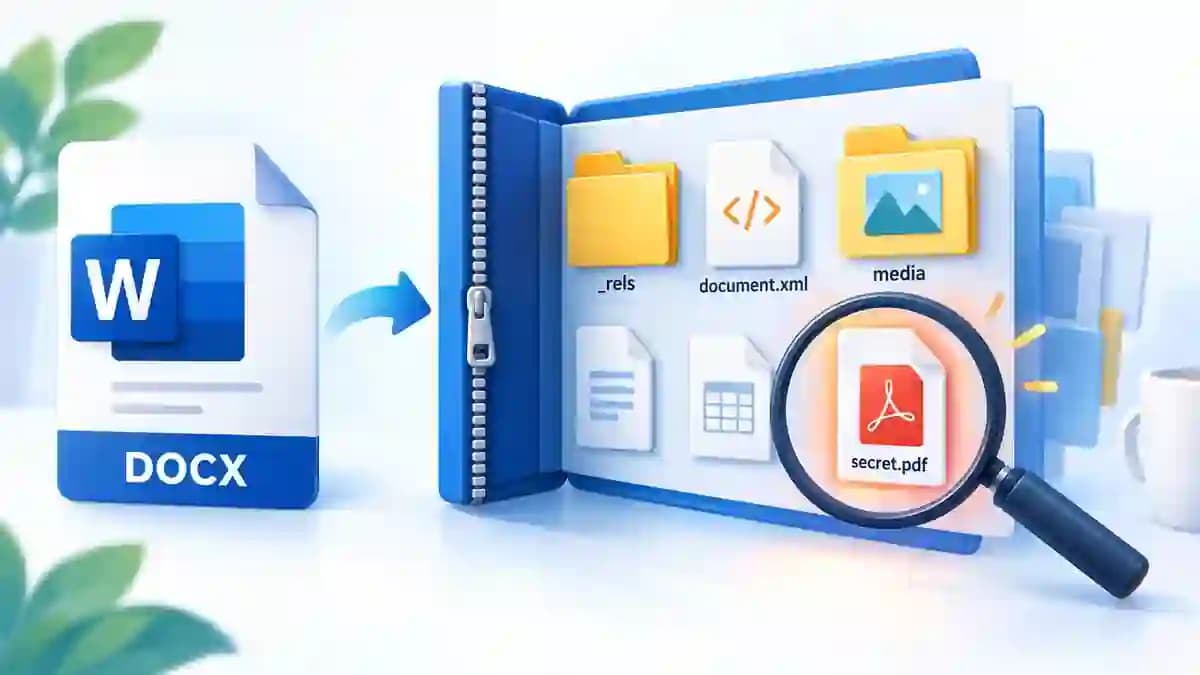
Why can a DOCX file be opened like a ZIP archive?
Modern Word documents use Office Open XML. A DOCX therefore contains several separate parts packaged together with ZIP compression: the document text, styles, relationships, images, properties and other resources.
This does not mean every DOCX contains a hidden or secret file. The internal files are normal parts of the format. An extra PDF, image, text file or other unusual item only appears when it has been embedded or deliberately added to the package.
How to inspect the contents of a DOCX file
You are not converting DOCX into a different format. You are simply exposing the ZIP package that Word normally presents as one document.
- Make a copy. Keep the original DOCX untouched so you can always restore it.
- Show file extensions. On Windows, enable file name extensions in File Explorer. This lets you see and change .docx safely.
- Rename the copy to .zip. For example, report.docx becomes report.zip. Changing the extension does not rewrite the file data.
- Open or extract the ZIP. Use Windows, macOS, 7-Zip or another ZIP-compatible archive manager.
- Browse the internal folders. Check word, word/media, docProps, _rels and any other directories that appear.
- Search for unusual files. If a task asks for an embedded file, search by its name or extensions such as .pdf, .txt, .png or .jpg.
What is inside a DOCX file?
Other documents may also contain headers, footers, comments, footnotes, embedded objects, custom XML or application-specific data.
| Location | Main role | What you may find |
|---|---|---|
word/document.xml | Main document body | Text and the main XML structure |
word/media/ | Embedded media | Original images and other media used by the document |
docProps/ | Document properties | Author, dates, application and metadata |
_rels/ and word/_rels/ | Relationships | Links between the document parts and resources |
[Content_Types].xml | Content types | Technical description of the parts in the package |
How do you find an embedded or hidden file in a DOCX?
There is no universal folder called hidden or secret. Start by comparing the extracted package with the normal DOCX structure. An unexpected PDF, executable, text file or extra directory deserves closer inspection.
Search tools are useful when the package is large. A search for a known file name or extension is often faster than opening every folder manually. If you only need images, word/media is usually the first place to check.
- Look for file types that are not normally part of a Word package.
- Check whether file names match clues from the exercise or sender.
- Inspect relationships when a resource is referenced indirectly.
- Do not assume an unfamiliar internal file is malicious; verify what it is before opening it.
Can you open a DOCX as an archive without renaming it?
Yes. Archive tools such as 7-Zip can often open a .docx file directly because they recognize the ZIP signature inside the file. This is convenient when you only want to inspect or extract content.
For text, the main document body is generally in word/document.xml. Images are usually in word/media, while document properties and metadata are stored under docProps.
Can a DOCX contain information that Word does not show on the page?
Yes. Comments, metadata, relationships, headers, footers, embedded objects and other package parts may not be visible in the normal document view. They are not automatically secret; they are simply components Word uses to reconstruct the document.
A standard .docx is not the normal container for VBA macros. Macro-enabled Word documents generally use the .docm extension, which is an important distinction when evaluating unfamiliar files.
What precautions should you take before exploring a DOCX?
Always inspect a copy. Editing XML files, deleting package parts or recompressing the archive incorrectly can make the Word document unreadable.
If the document comes from an unknown source, do not execute programs or scripts you find inside it. Inspecting a package and executing an embedded file are very different actions.
Frequently asked questions
Why is a DOCX actually a ZIP package?
DOCX is based on Office Open XML. Its XML files, images and other resources are bundled in a ZIP-compatible package.
Where is the text stored in a DOCX?
The main document body is usually stored in word/document.xml, while headers, footers, comments and notes can live in other XML parts.
Where are Word images stored?
After extracting the DOCX, look in word/media. It normally contains the original embedded images.
Does renaming DOCX to ZIP damage the document?
Changing only the extension does not alter the file contents. Editing or repackaging the internal files incorrectly can damage it, so work on a copy.
Does every DOCX contain a hidden file?
No. Every DOCX has internal components, but an extra hidden or embedded file only exists when someone or an application has added it.
Want to identify what your file really is?
An extension alone does not always tell you the whole story. MimiFile Identify can inspect a file's actual format and show the available actions before you convert or investigate it further.
Identify a file with MimiFile